EA Sports \ NHL26 \ HUT Seasons
UI, UX, Product Design
As part of a long-term initiative to shift the Hockey Ultimate Team (HUT) game mode into an evergreen model, my team supported a project focused on reshaping team-building dynamics to ship in NHL26. The goal of this project was to create new incentives for our users to stay engaged and competitive throughout the product’s life cycle while also ensuring player cards maintain their utility.
My role in this project included partnering with game designers and core leadership to identify areas of opportunities that align with our broader business goals, prototyping, designing wireframes and high fidelity mockups, and supporting software engineers with implementation.
Credits:
Jake Kyle / Matt McTavish / Taylor Miller - Game Design
Ivan Federichi - UI Engineer
Amrit Malhi / Breanne Lewis - UX Design
Jhim Verame - UX Research
Discovery.
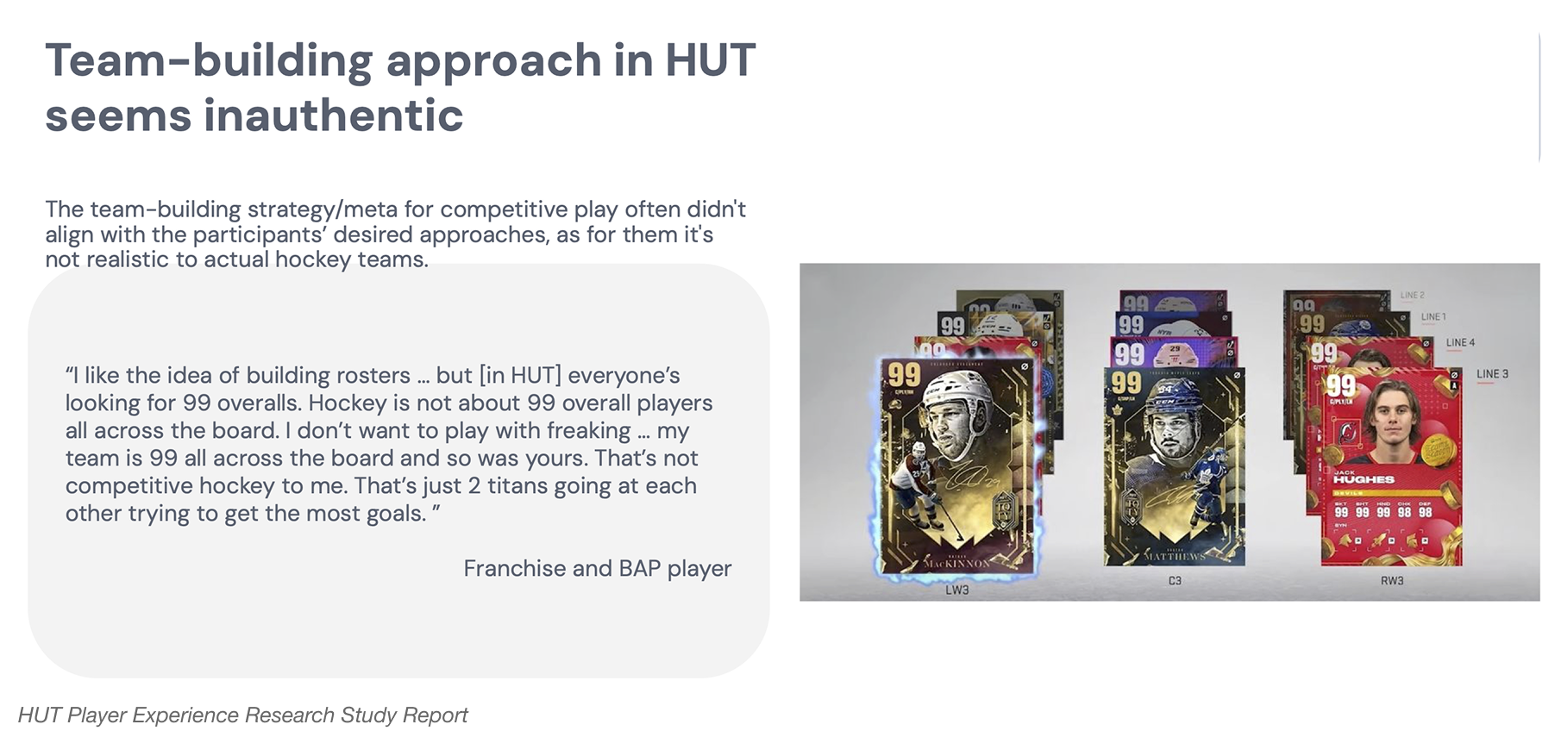
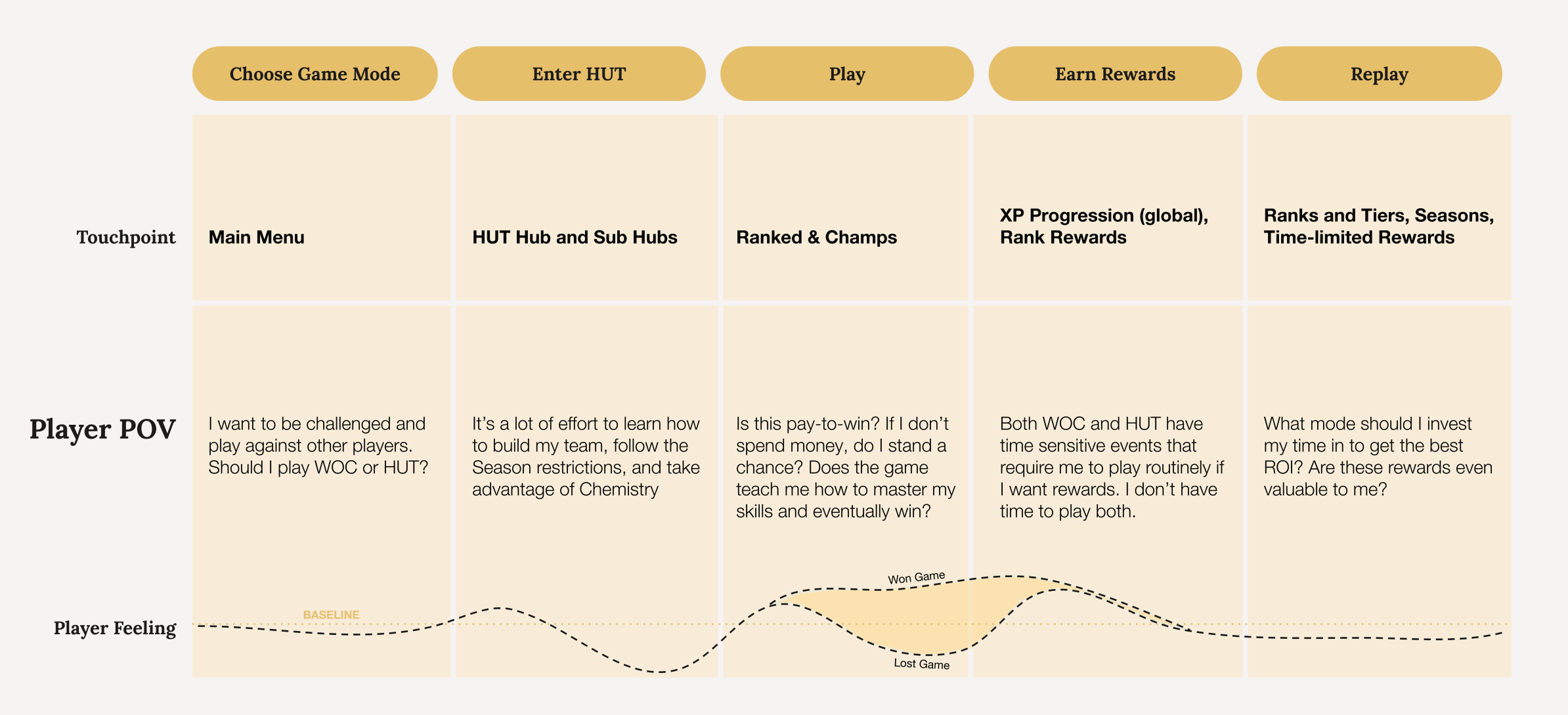
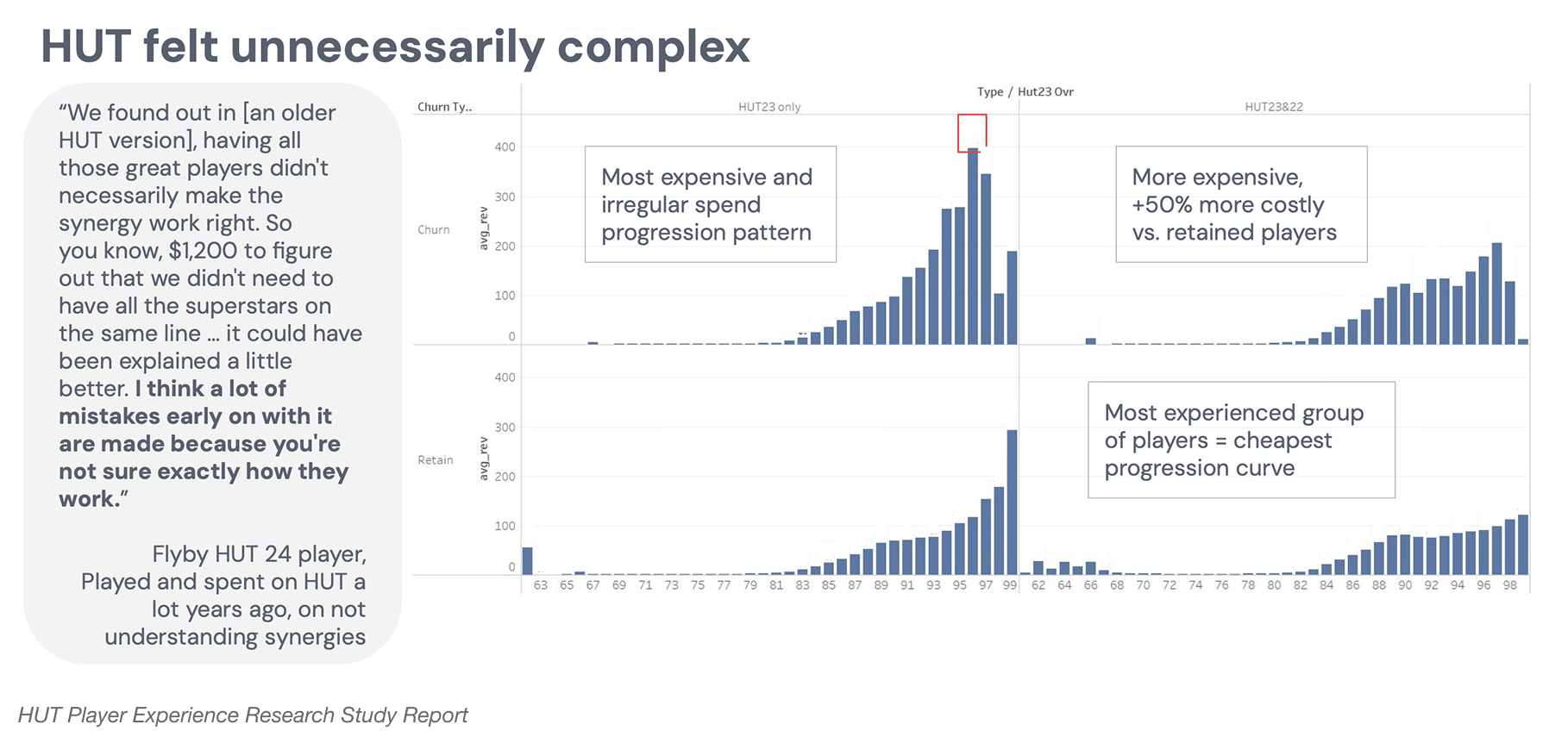
As we revisited the user journey and examined how players interact with HUT across the year, several recurring issues became clear. Players are consistently placed in situations where they must make difficult choices to remain competitive. The mode currently offers only one reliable path to keep up: understand team-building early, invest significant time into limited-time events and special-edition content drops, and closely follow the ongoing stream of Live content. Alternatively, players can spend money on premium packs to accelerate progress and unlock stronger players.
While this system works reasonably well for experienced or dedicated players who are familiar with the dynamic of HUT’s content releases, it creates steep barriers for newcomers and casual users. The effort required to stay competitive becomes increasingly time-consuming, demanding, and overwhelming - ultimately making the mode feel inaccessible for anyone who isn’t already deeply invested in its systems.
Research Insights.
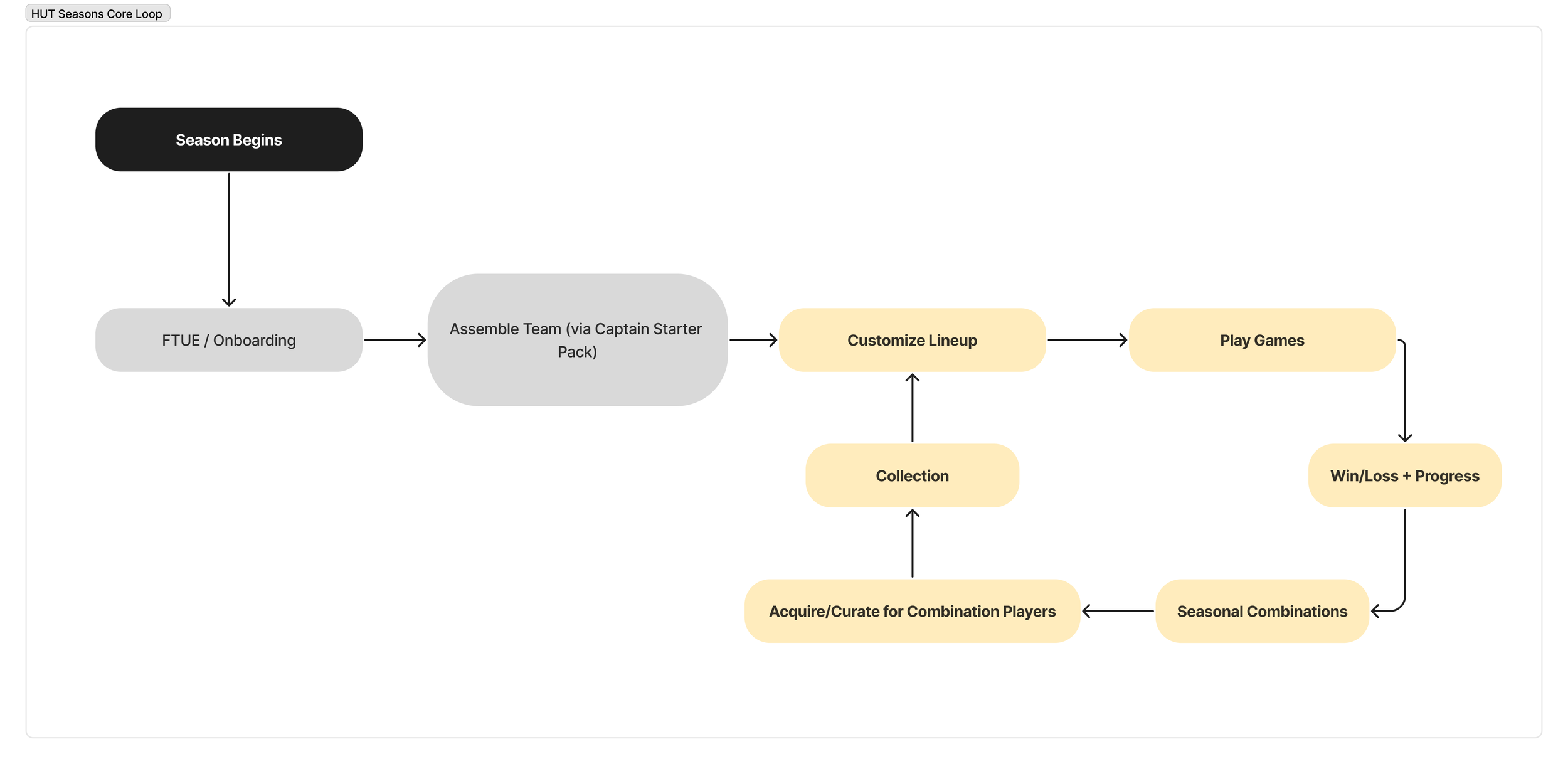
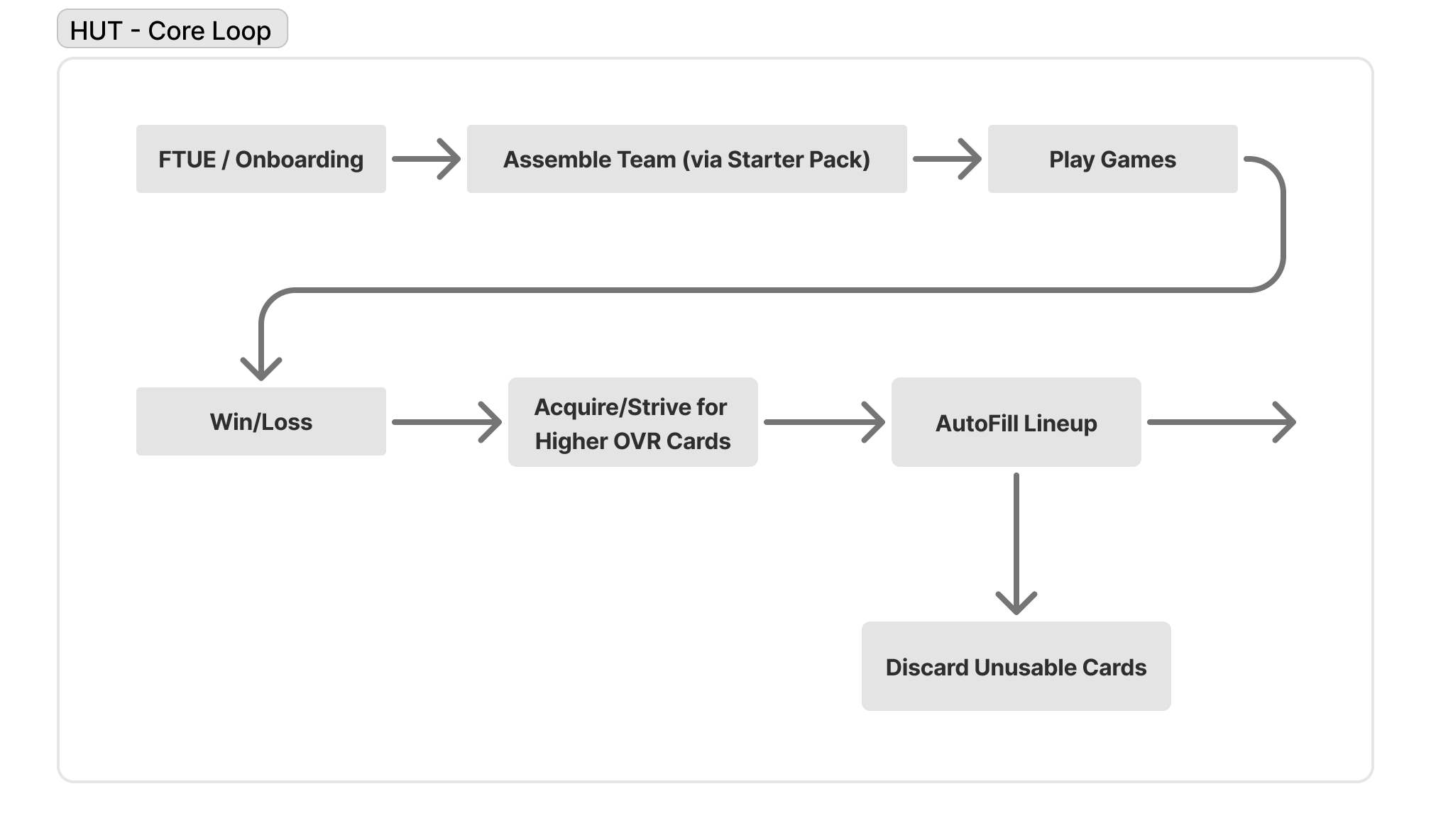
Our business had been struggling to sustain Core Player Engagement throughout its product life cycle. Research over the past several years suggested players quickly lose excitement and value in the cards they collect, especially regular or non-premium cards - leaving little incentive to develop them over time. This stems from a non-repeatable core loop: players enter the mode, play games, realize that standard cards offer limited impact on performance, and ultimately shift their focus toward pursuing higher-OVR cards through challenges or store purchases. As a result, user engagement becomes heavily dependent on chasing top-tier cards rather than finding ongoing utility in their broader collection.
HUT Seasons.
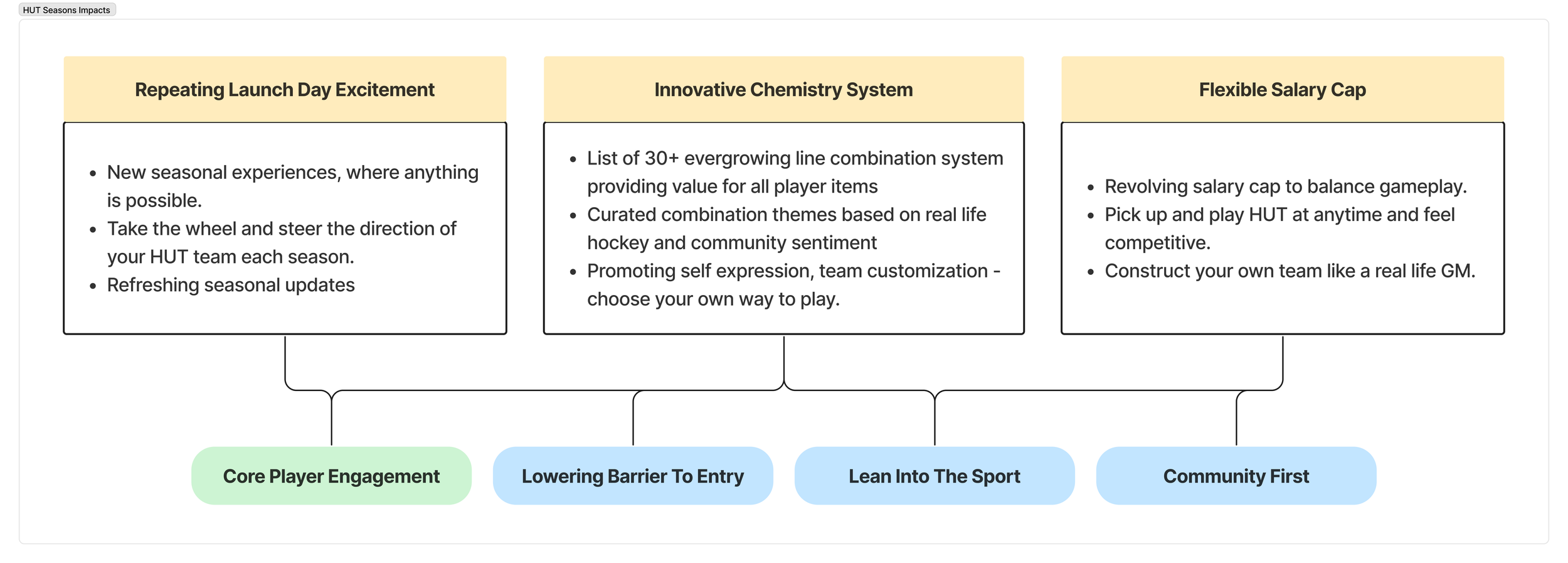
The design of HUT Seasons centers on introducing new mechanics that reshape how players build teams and compete throughout the year. The feature revolves around four gamified systems: Seasonal periods, a revolving Salary Cap, and Captain Chemistry or Line Combinations that unlock player attribute boost and progression bonuses.
Design Process.
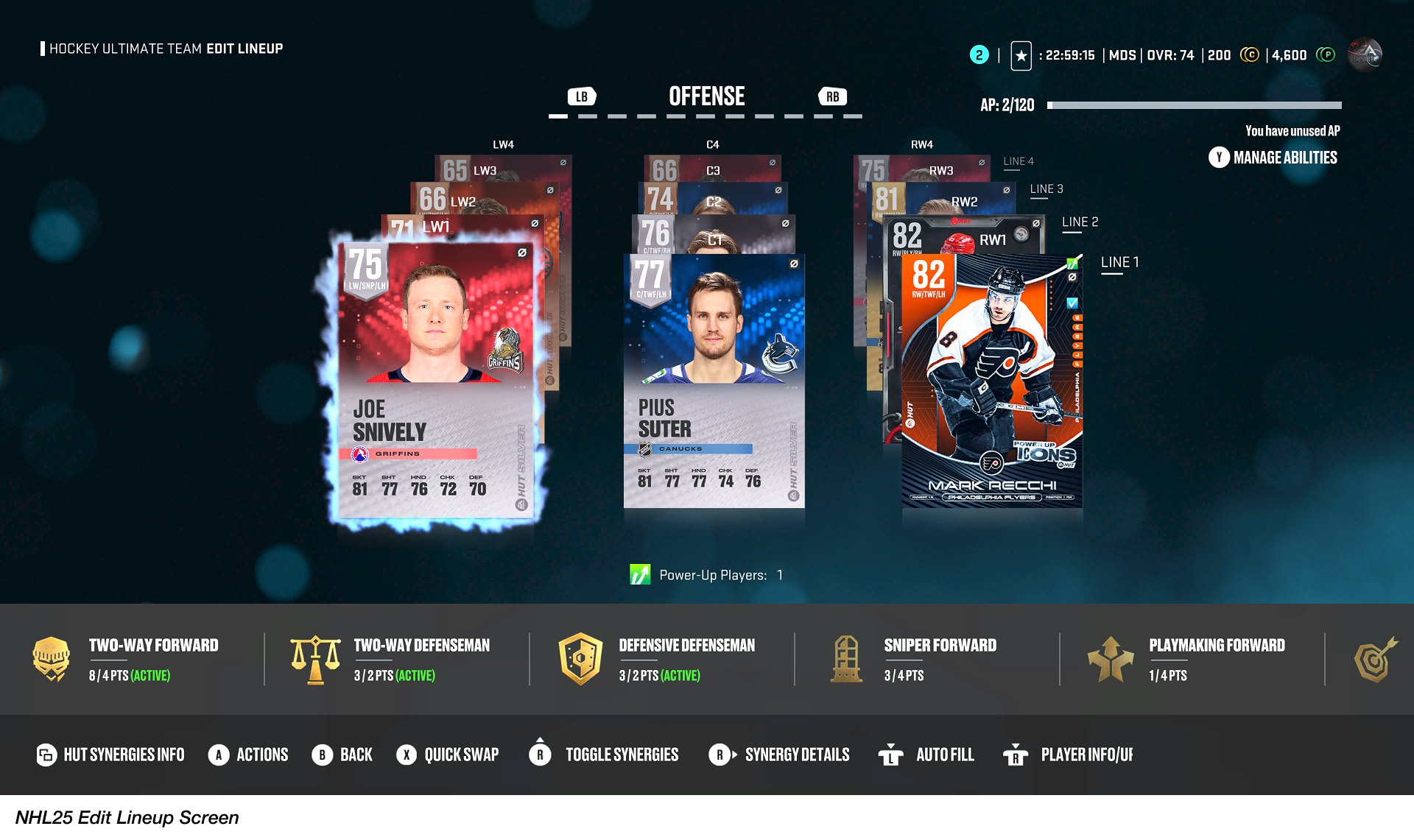
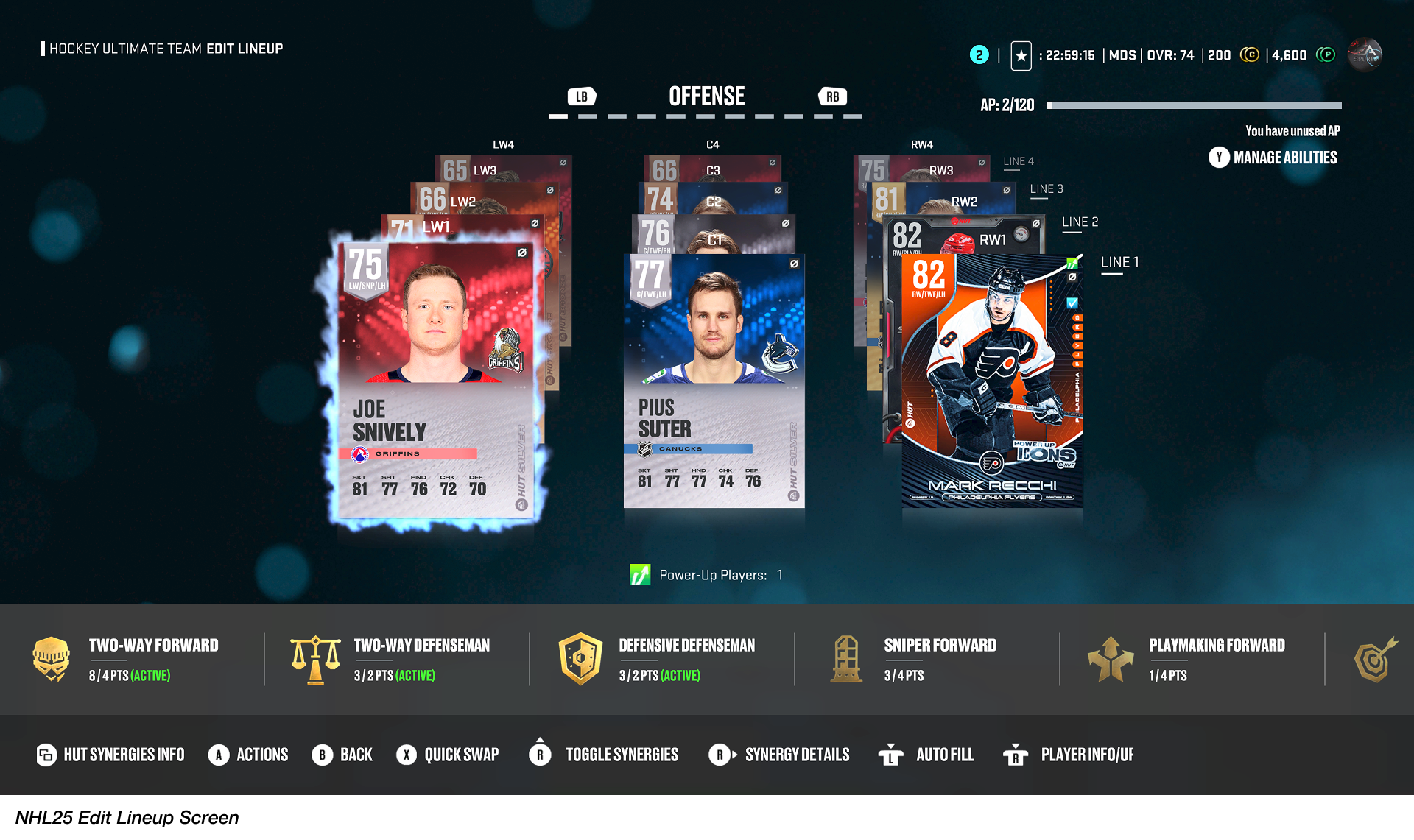
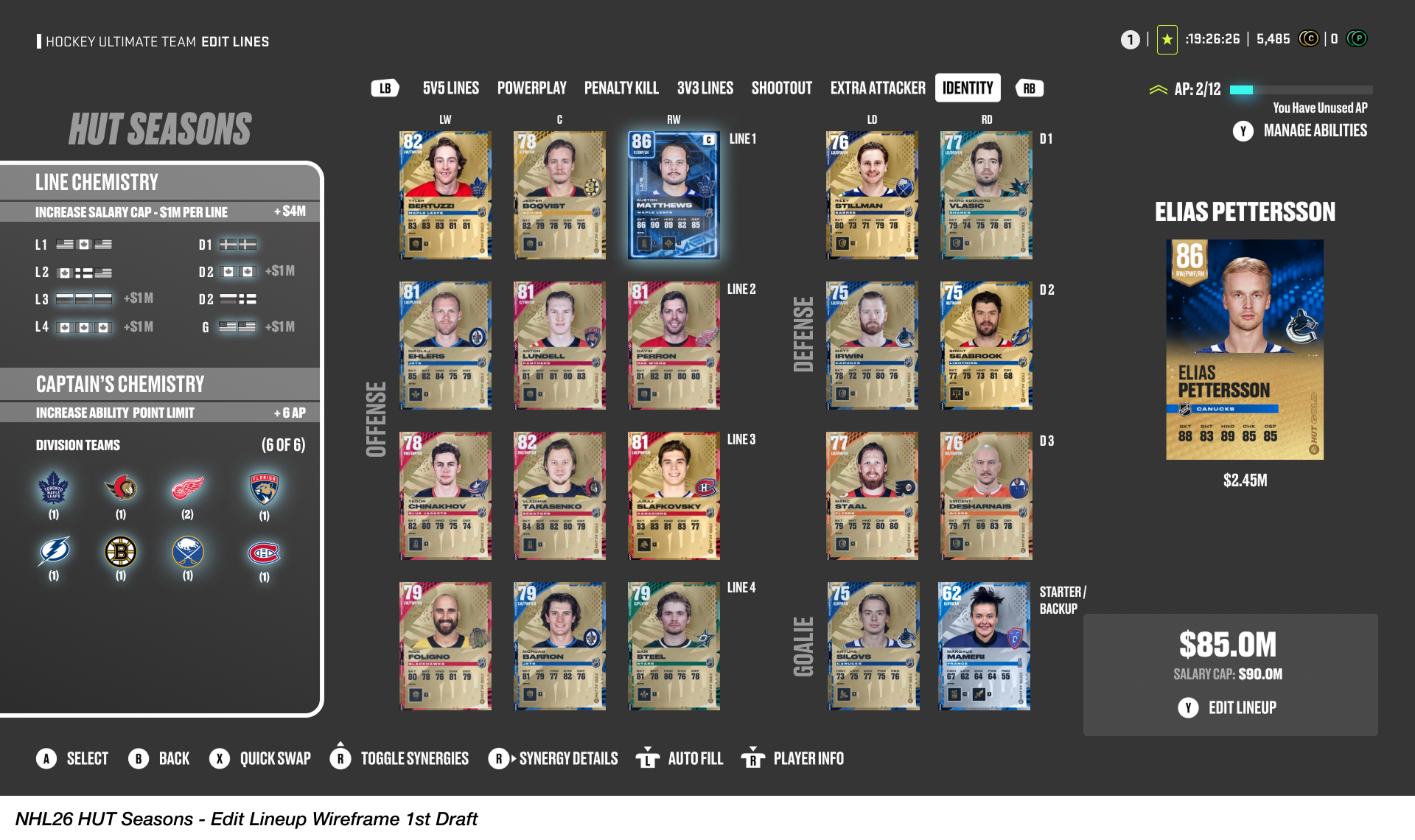
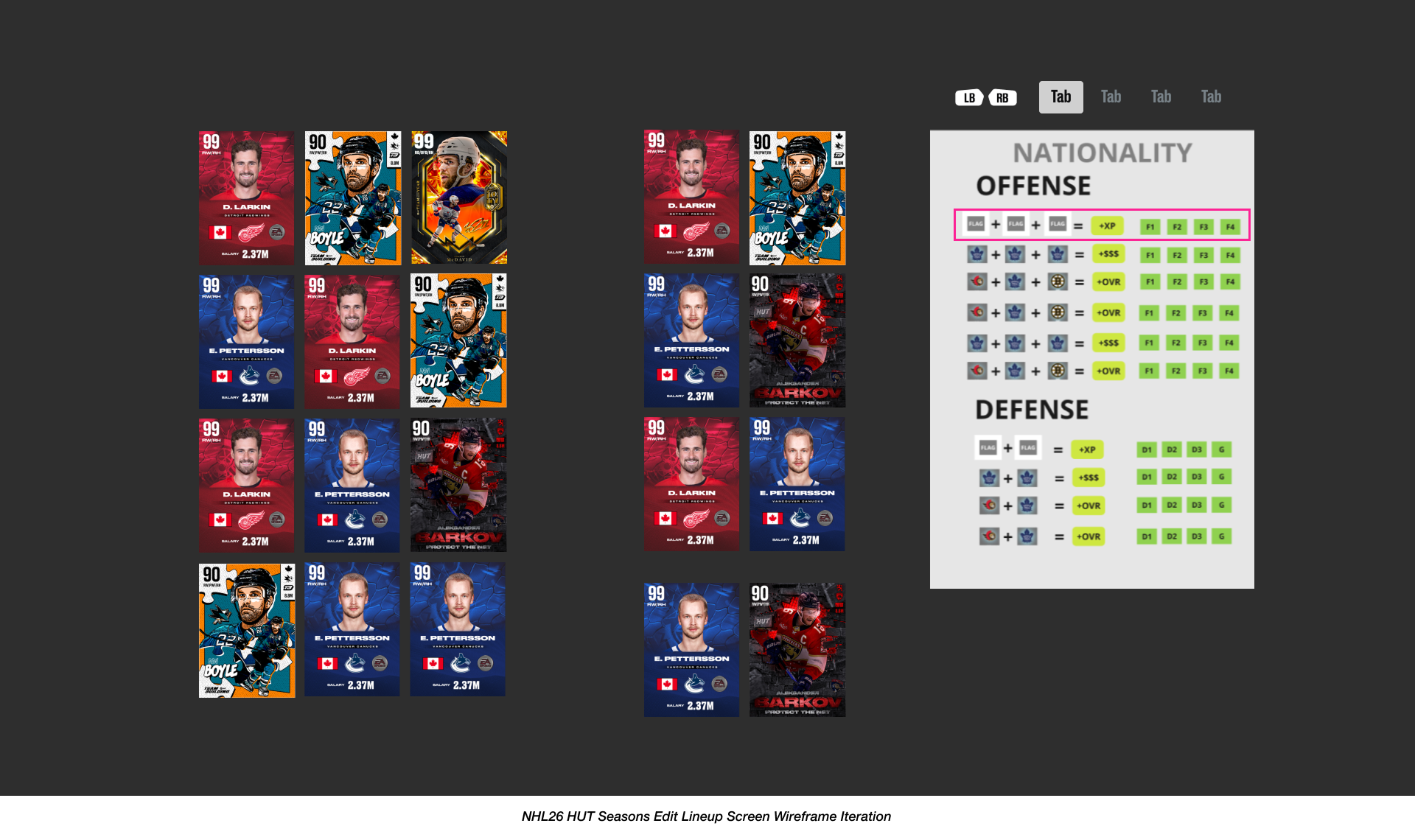
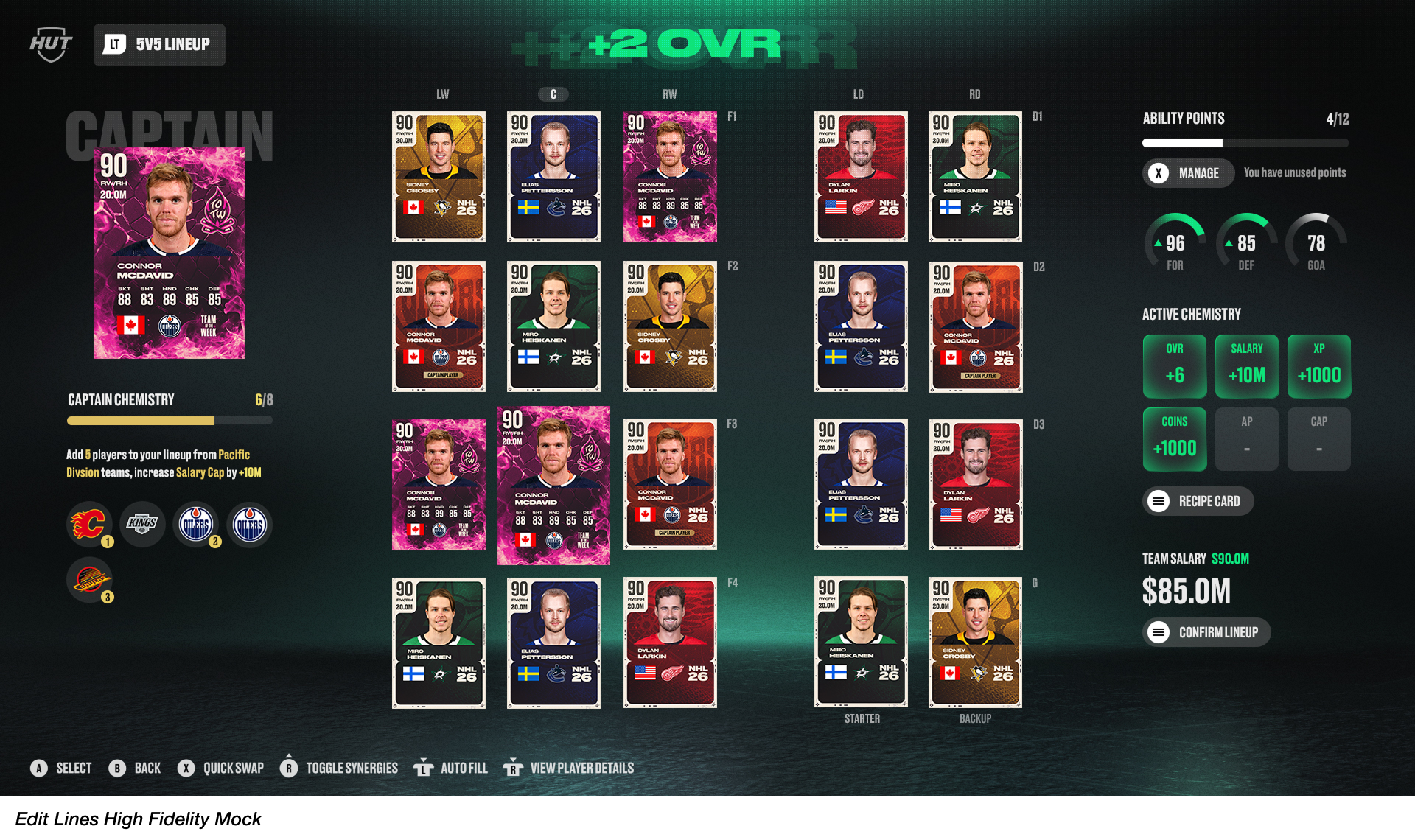
To kick off the design process, our goal was to figure out how to bring the new HUT Seasons mechanics together with a refreshed Edit Lineup experience. I started by sketching out wireframes for a more glanceable lineup view, something that lets players see all their offensive and defensive lines in one place. This approach made it easier for users to interact with the new team-building features we’re introducing, like Salary Cap management, Captain Chemistry, and Line Combinations.
The approach here was to rethink the layout so players could make quicker decisions and feel the immediate impact of the new mechanics. A core focus during this phase was collaborating with game designers and engineers to explore options for integrating the new widgets for the Captain Chemistry and Line Combination UI. The team went through several iterations to conceptualize the new components and visual feedback, prioritizing the avoidance of new interaction patterns that might confuse or overwhelm existing users.
Overview.
Hockey Ultimate Team (HUT) is a fantasy team-building mode where players create their dream hockey lineup using collectible player cards and compete in both online and offline modes. All users start with a basic roster, play games, complete challenges, and earn rewards to unlock stronger players over time. As a Live service mode, HUT also releases seasonal content, special-edition players, and limited-time events to keep players engaged and continually evolving their team throughout the year.
Onboarding.
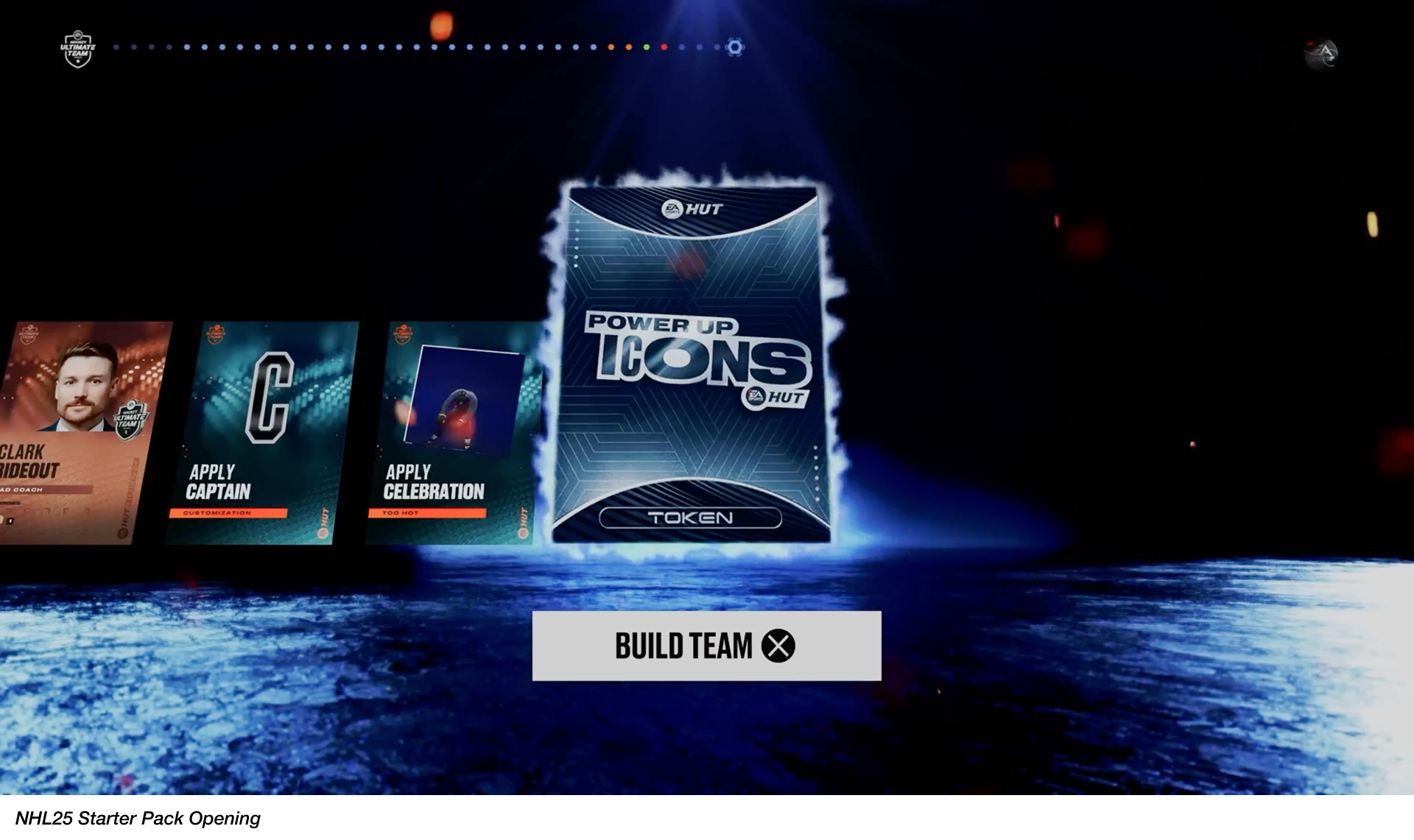
Considering the introduction of all the new team-building dynamics we’re adding into the Edit Lines experience, the team collaborated with Player Experience Research (PXR) partners to understand how we might introduce the feature to our users. The focus of the study was to assess the usability and learnability of HUT Seasons with two distinct onboarding concepts:
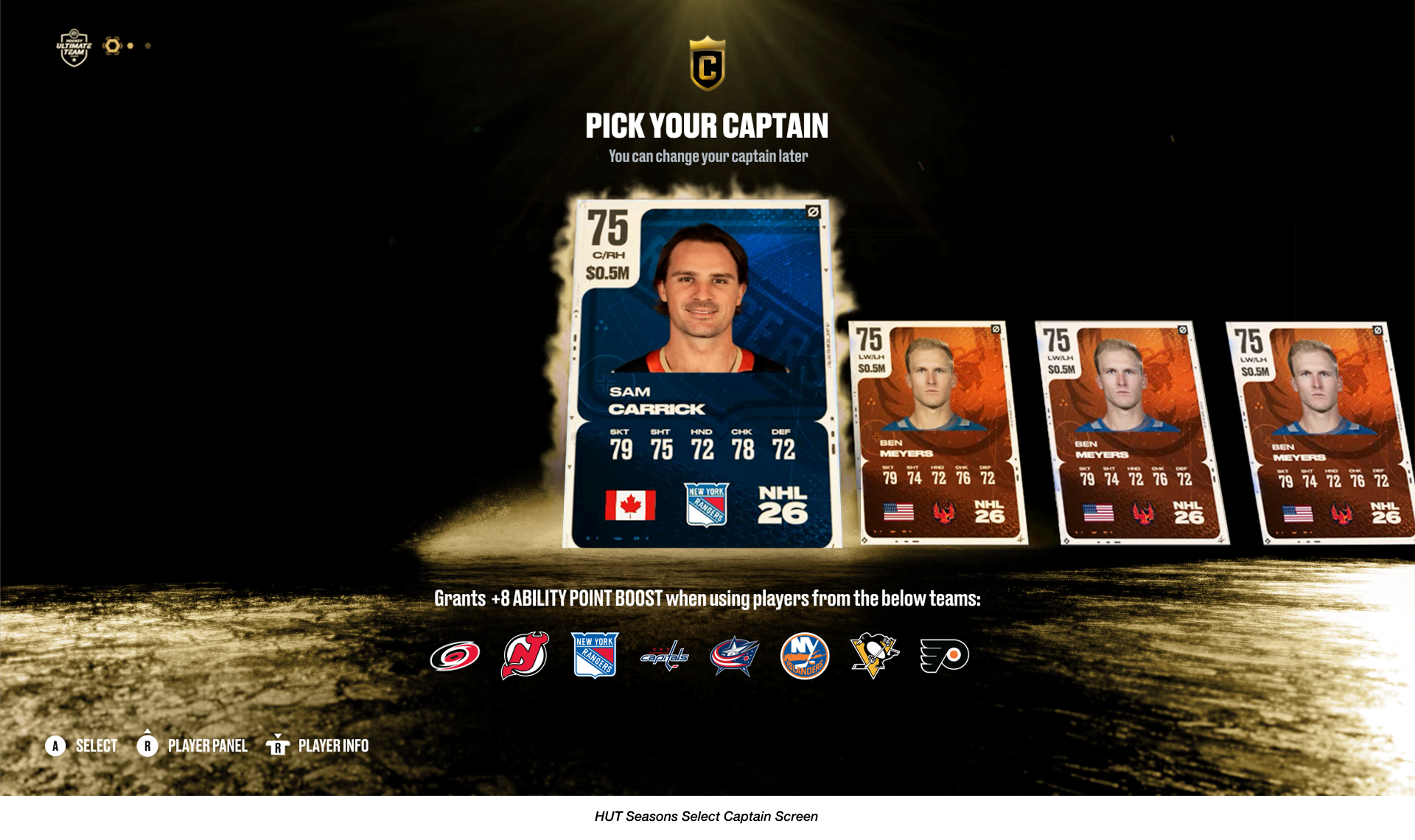
Concept A (Guided Walkthrough): A more interactive approach that delivers a guided walkthrough immediately upon the user entering HUT. After a Captain selection process, users are brought into the Edit LIneup screen where the importance of Captain Chemistry, Line Combinations, and Salary Cap dynamics are introduced via a tooltip clickthrough system.
Concept B (Contextual Discovery): This less intrusive approach allows users to explore the main HUT HUB after selecting their Captain. The core onboarding to team-building is deferred until the user's first visit to the Edit Lineup screen, where a tooltip clickthrough system initiates to onboard the user.
While the testing confirmed that players easily understood the Salary Cap dynamic and found the overall concept of the HUT Seasons feature appealing, a challenge remained with the Edit Lineup screen's information density. Many users found it difficult to navigate and fully understand the mechanics of the Captain Chemistry and Line Combination systems without feeling visually overwhelmed.
Our findings helped inform the next phase of our design process by prioritizing how we could better utilize visual cues and UI execution to communicate the entire team-building dynamic.
Onboarding Prototype - Concept A (Guided Walkthrough)
Onboarding Prototype - Concept B (Contextual Discovery)
Visual Explorations.
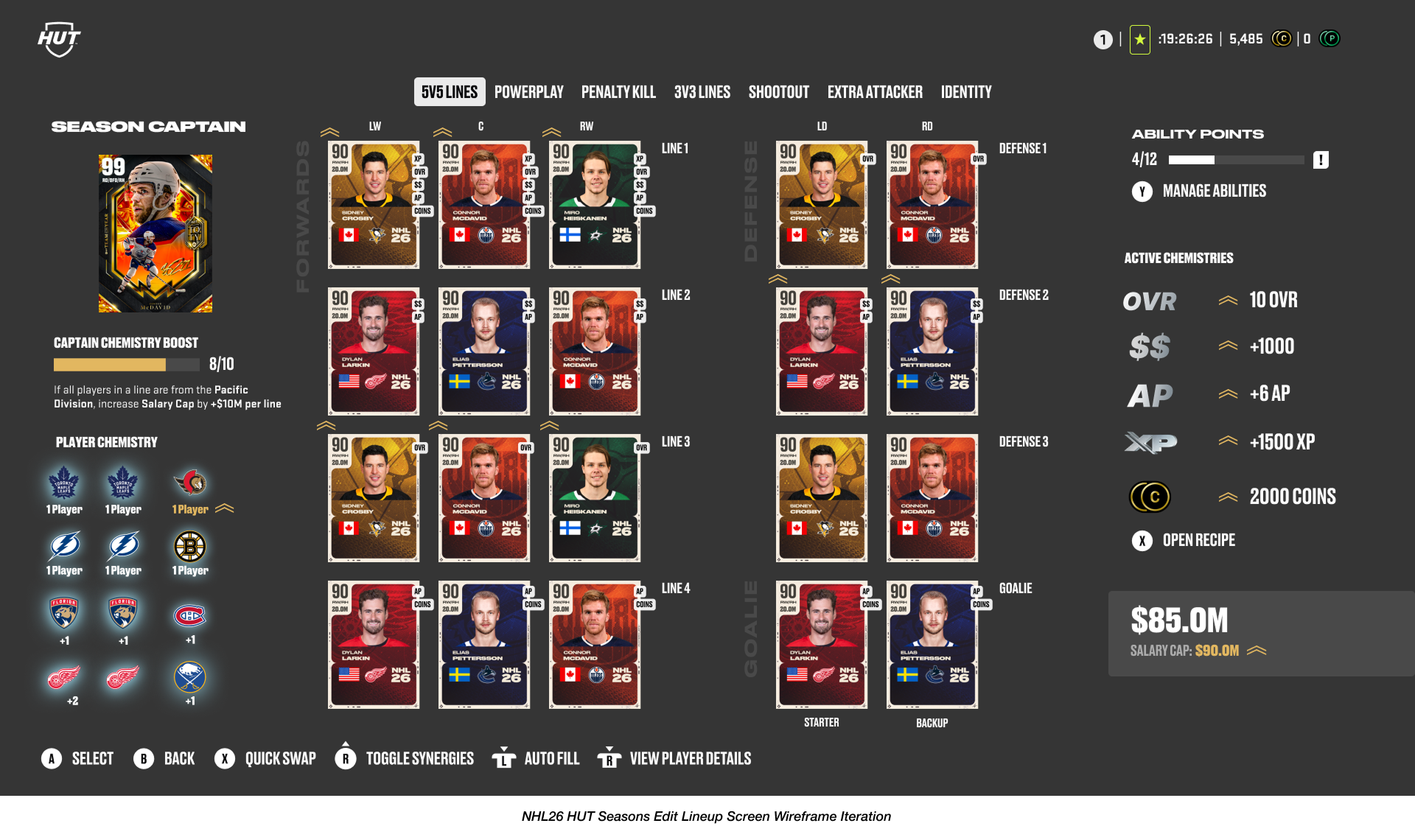
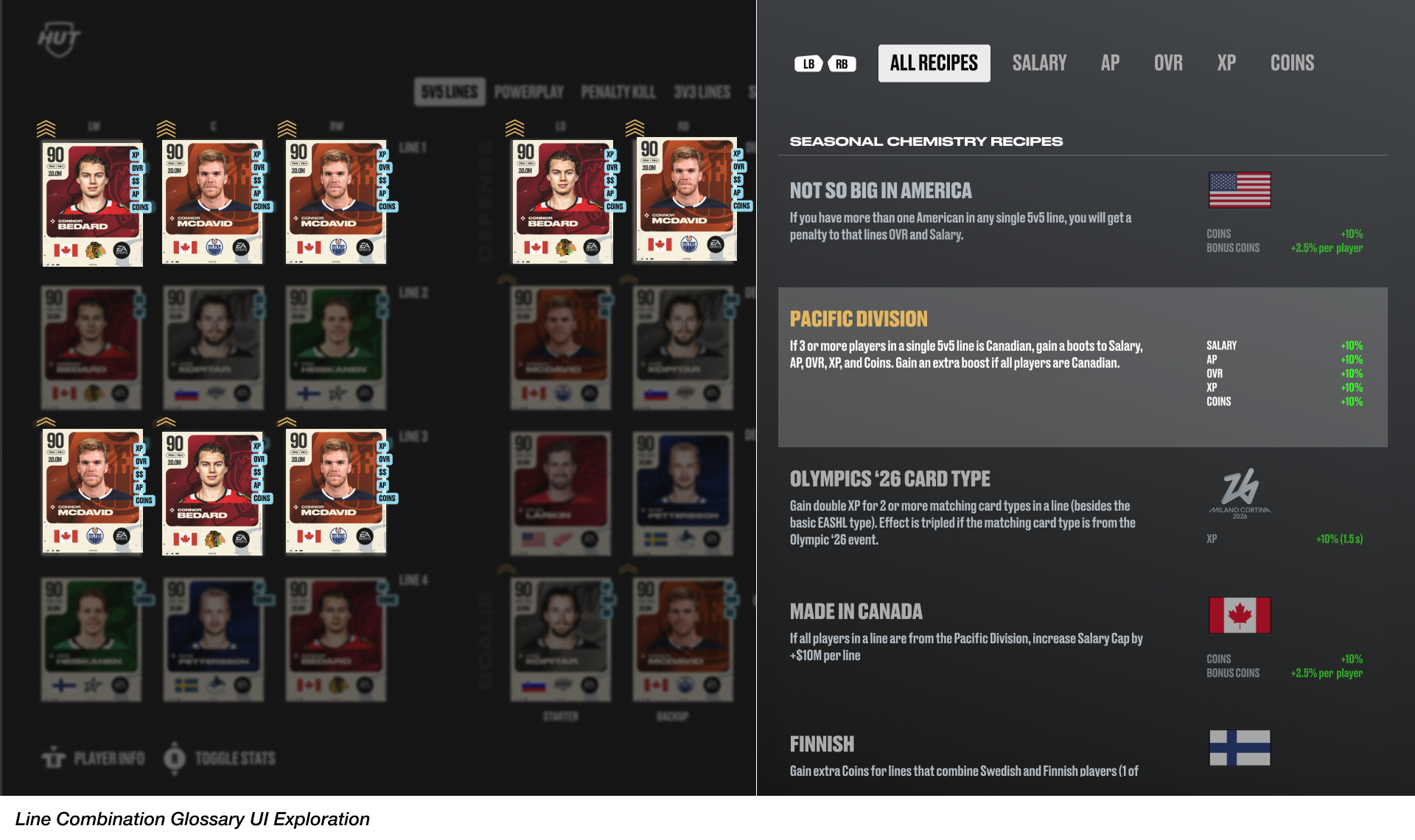
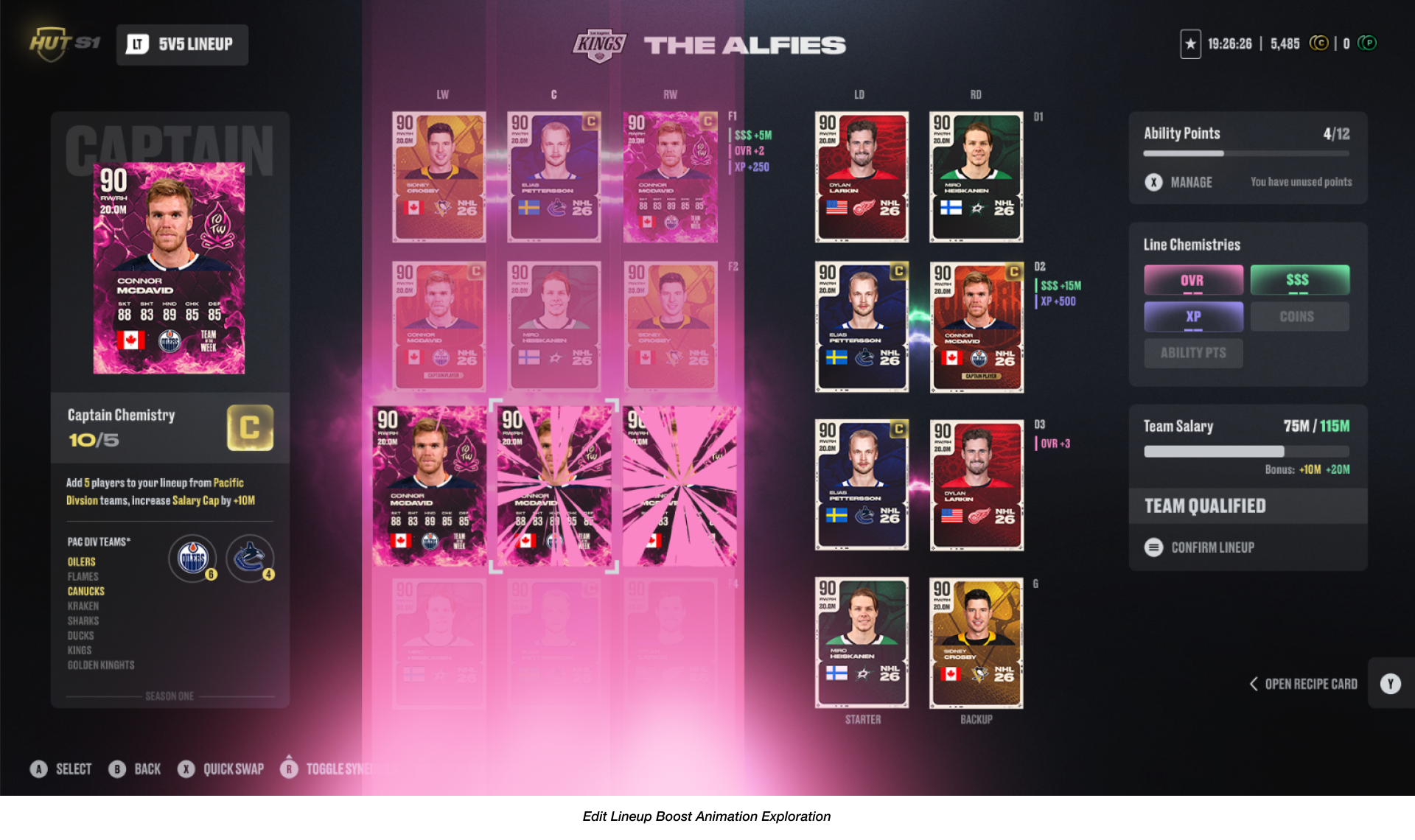
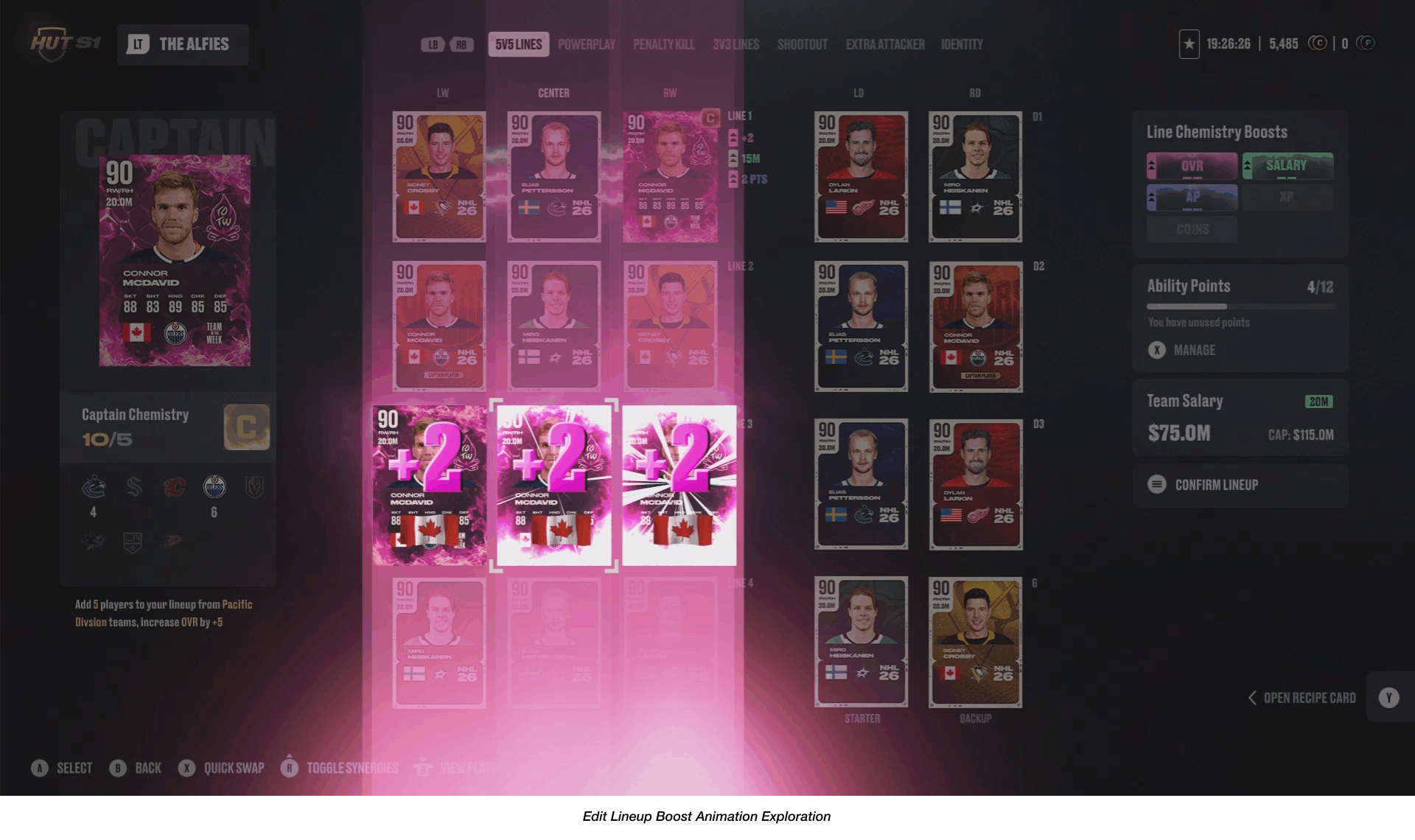
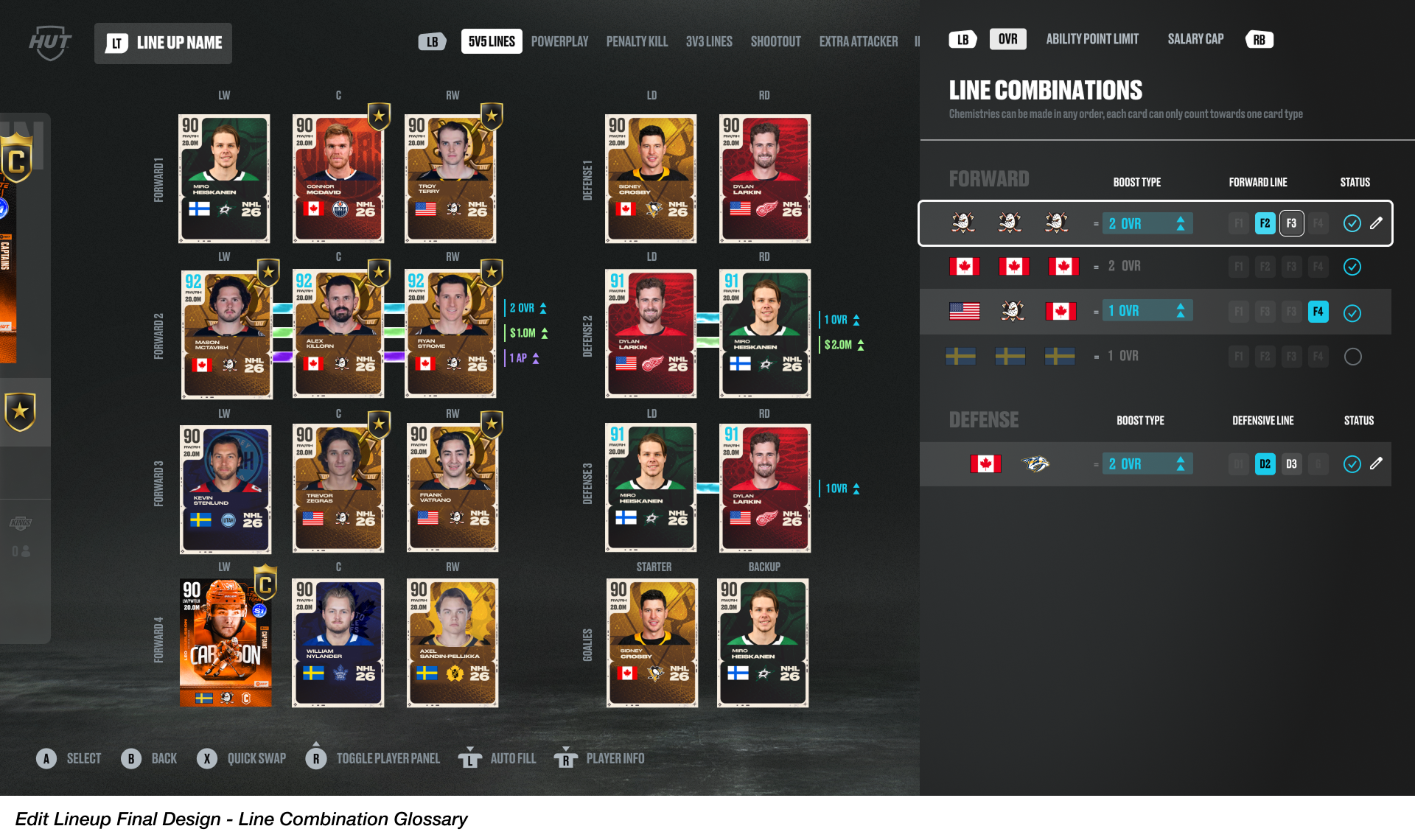
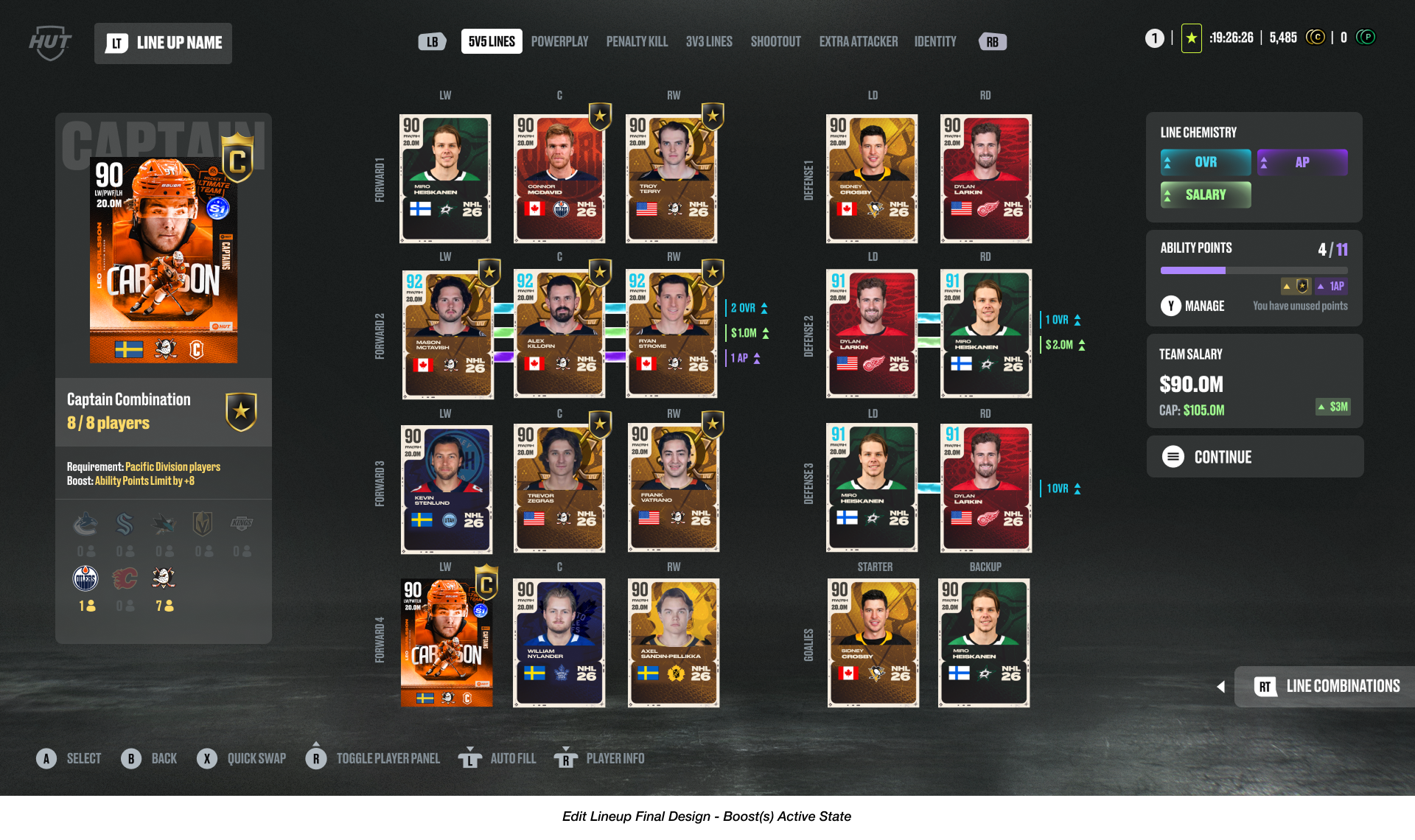
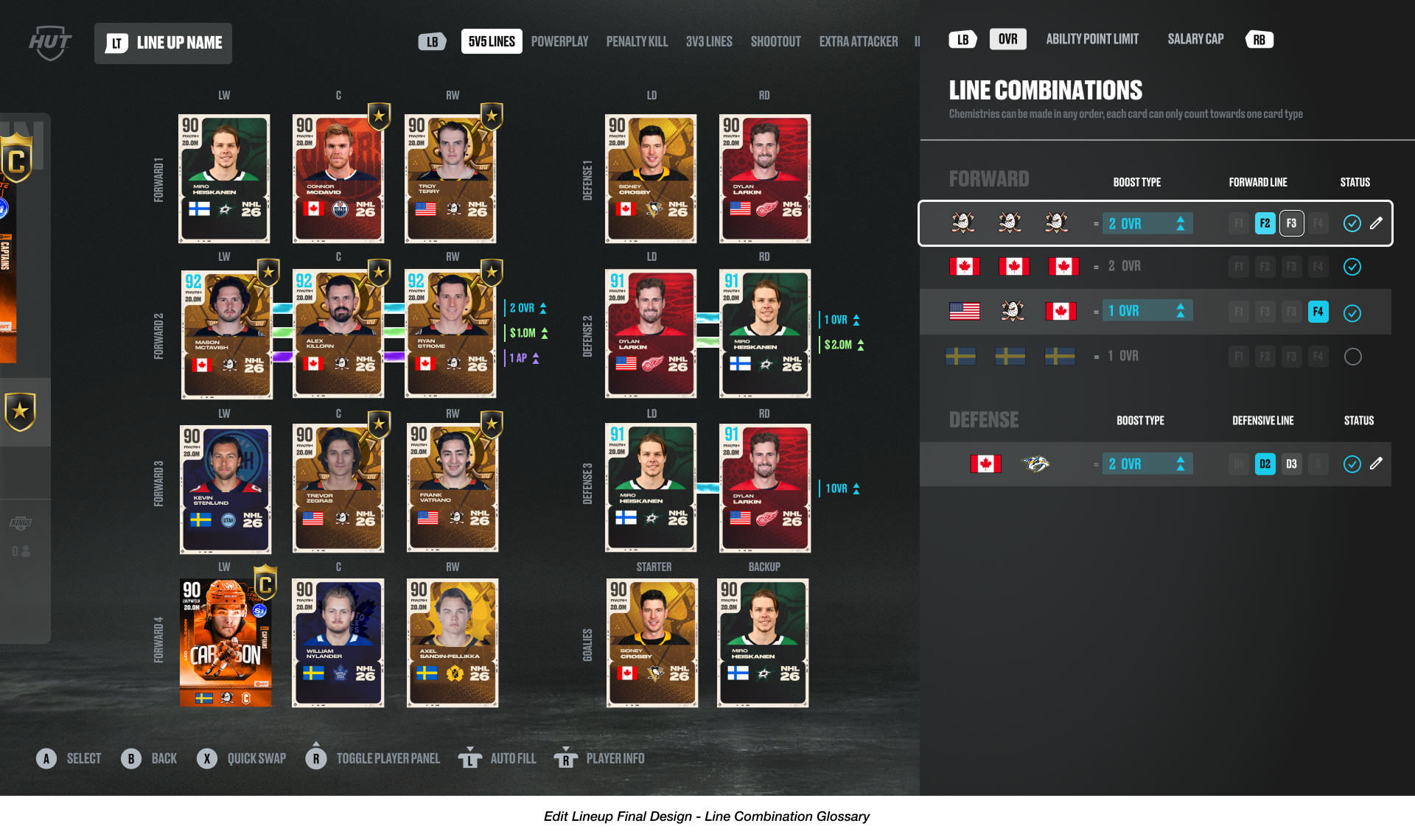
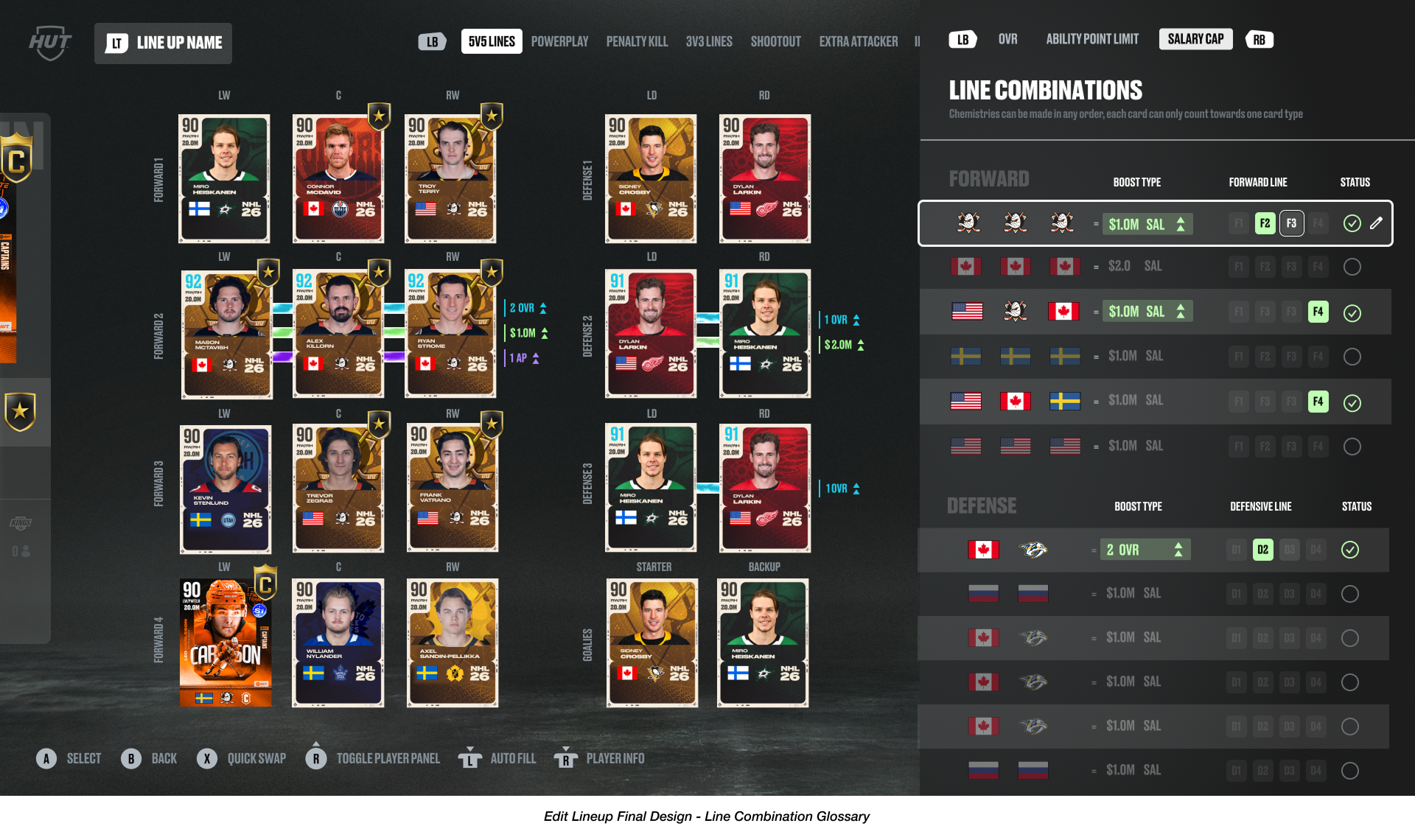
As we transitioned into high fidelity mockups, the focus was to manage the density of the screen. I worked closely with other visual designers and motion graphic experts on my team to explore visual systems with color and animations to provide users with more visual feedback when Captain Chemistry or Line Combinations boosts are achieved in the lineup. Another key design exploration involved developing a new flyout UI panel, accessible by a right-trigger button press, to surface a Line Combination glossary, ensuring that users are able focus better on strategizing for players in their lineup.
I also partnered closely with our Live Content Design team to support the process of integrating new visual elements required by the introduction of HUT Seasons mechanics. The core design challenge was to accommodate essential iconography for HUT Seasons - including Nationality, Team Logo, and Seasonal Card Type to allow users to quickly check for Captain Chemistry and Line Combination compatibility. This required an extensive collaborative effort to redefine the player card’s visual hierarchy.
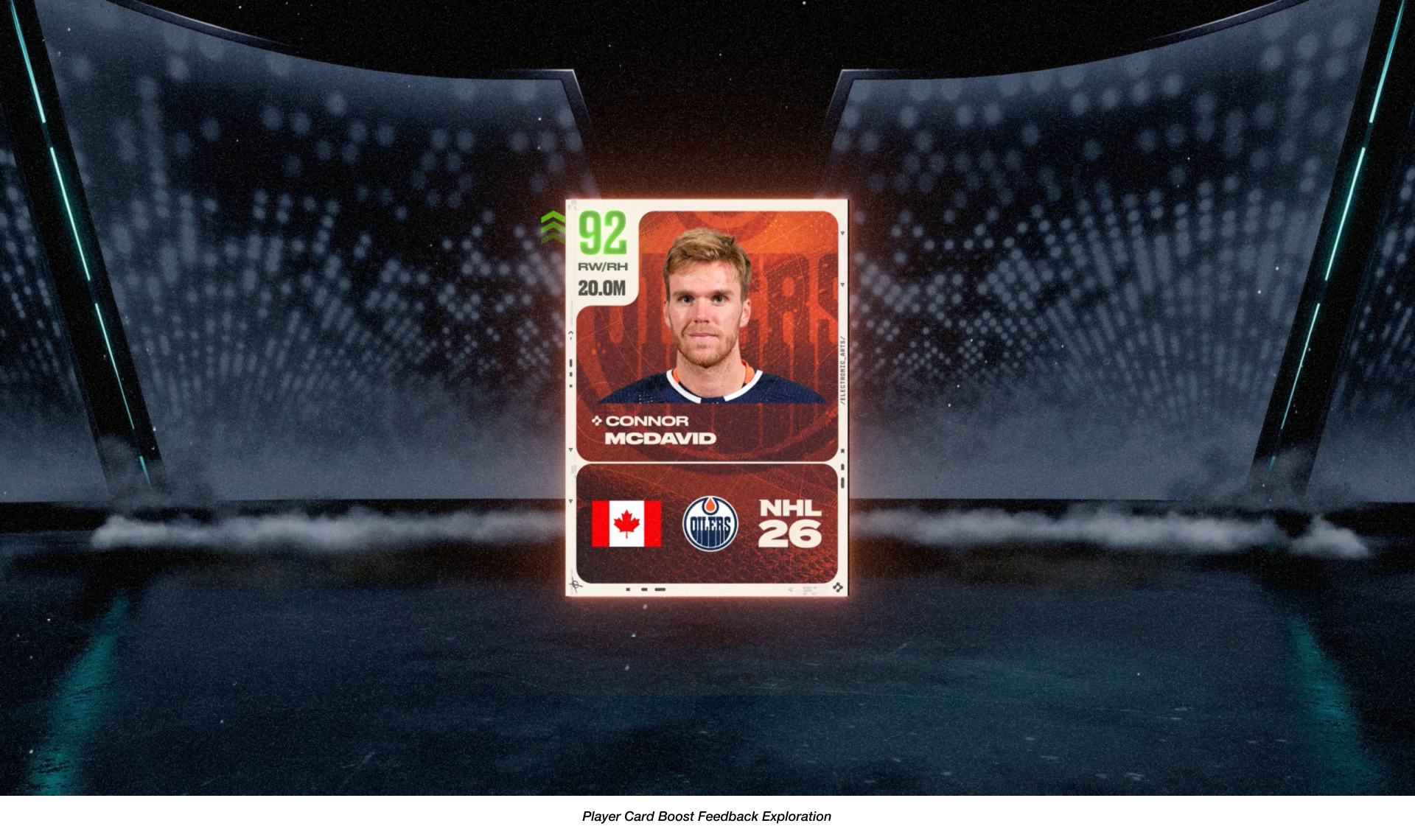
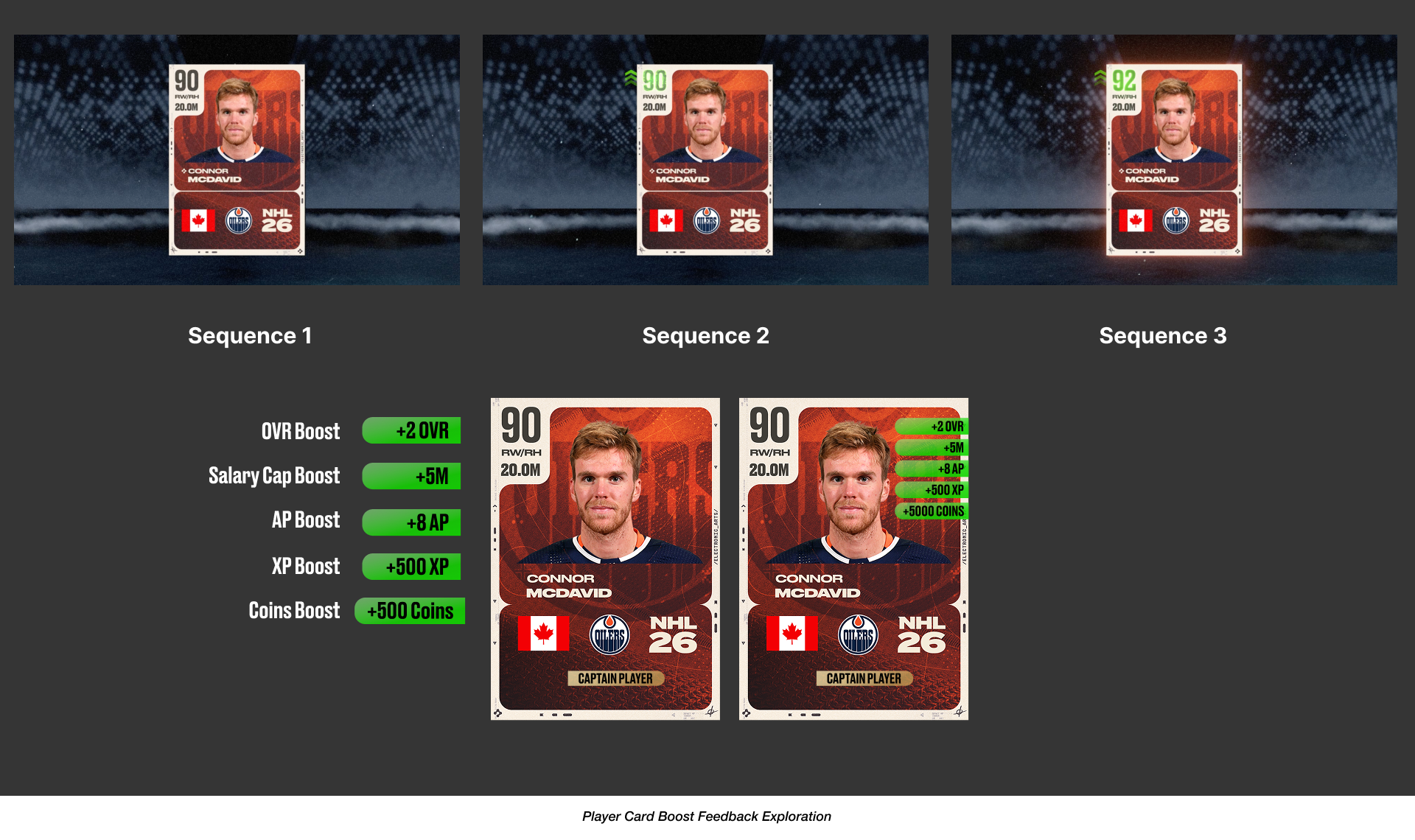
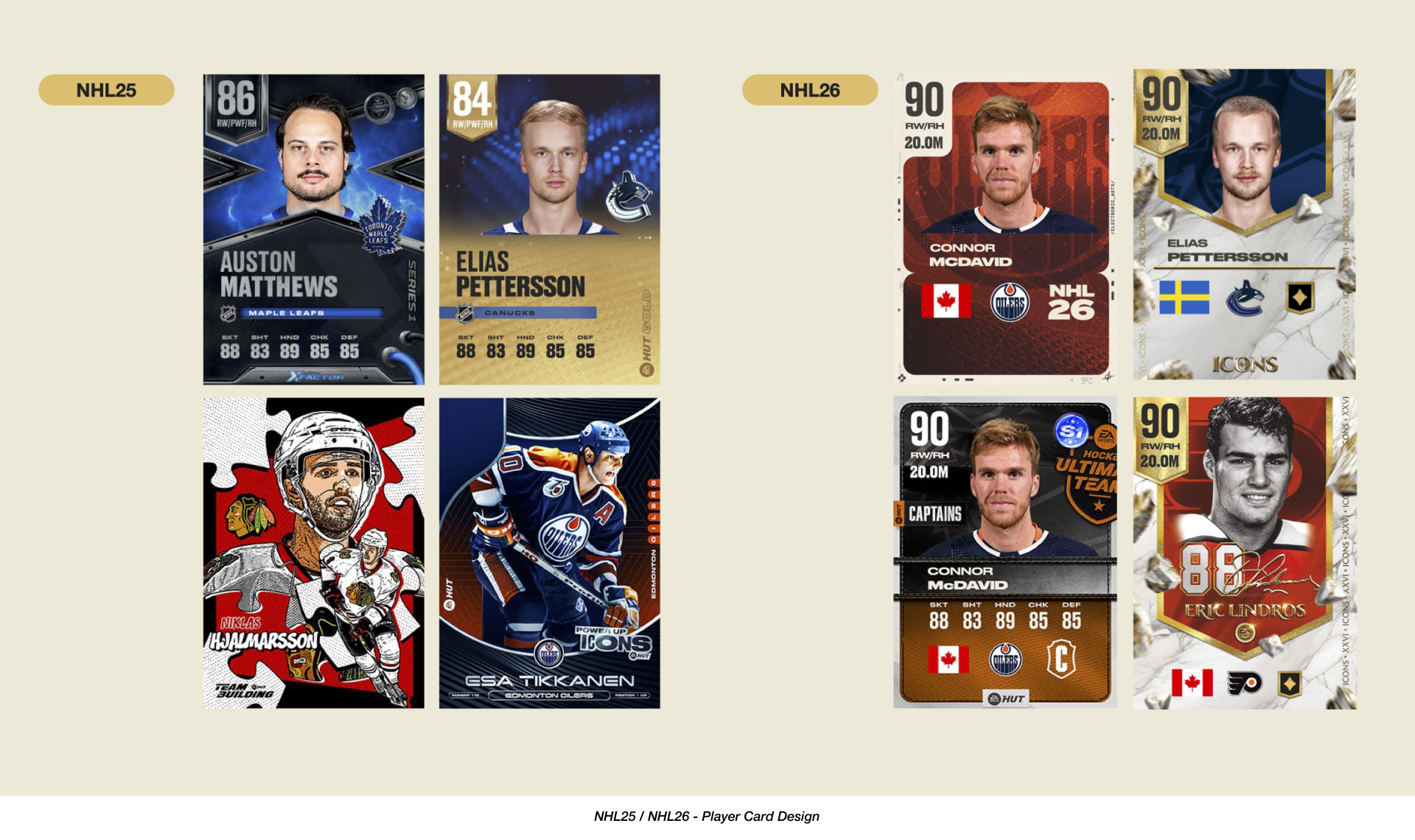
Final Designs.
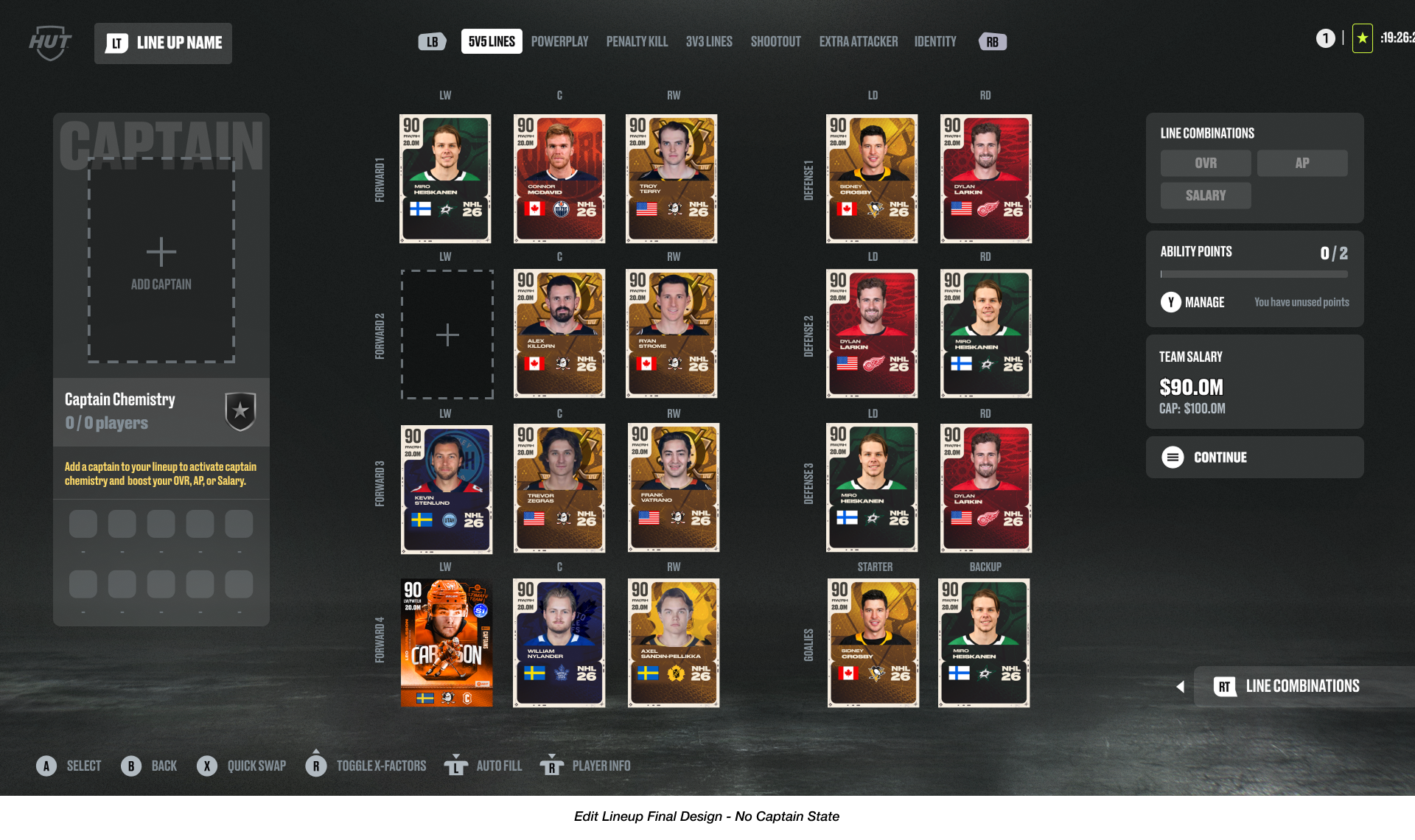
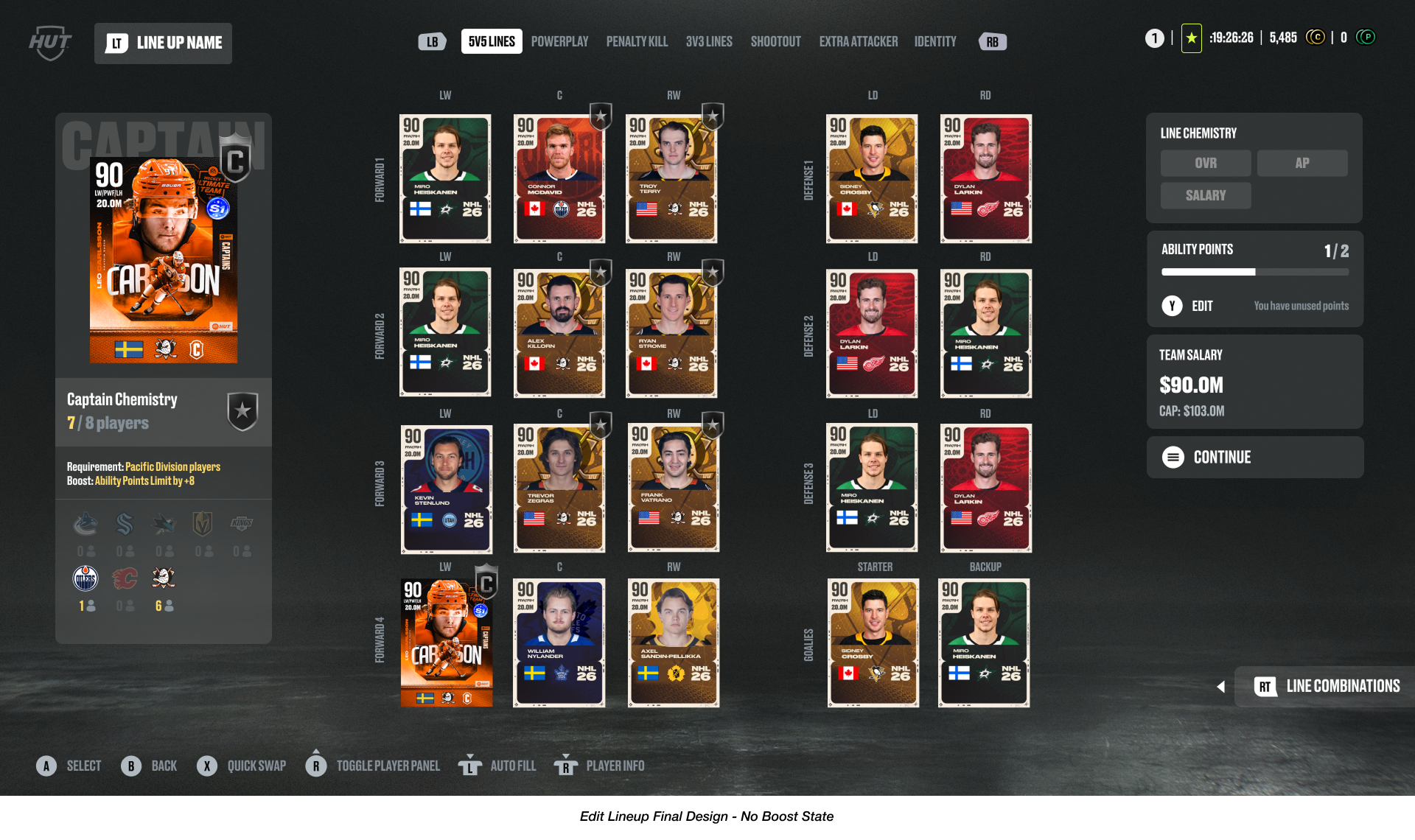
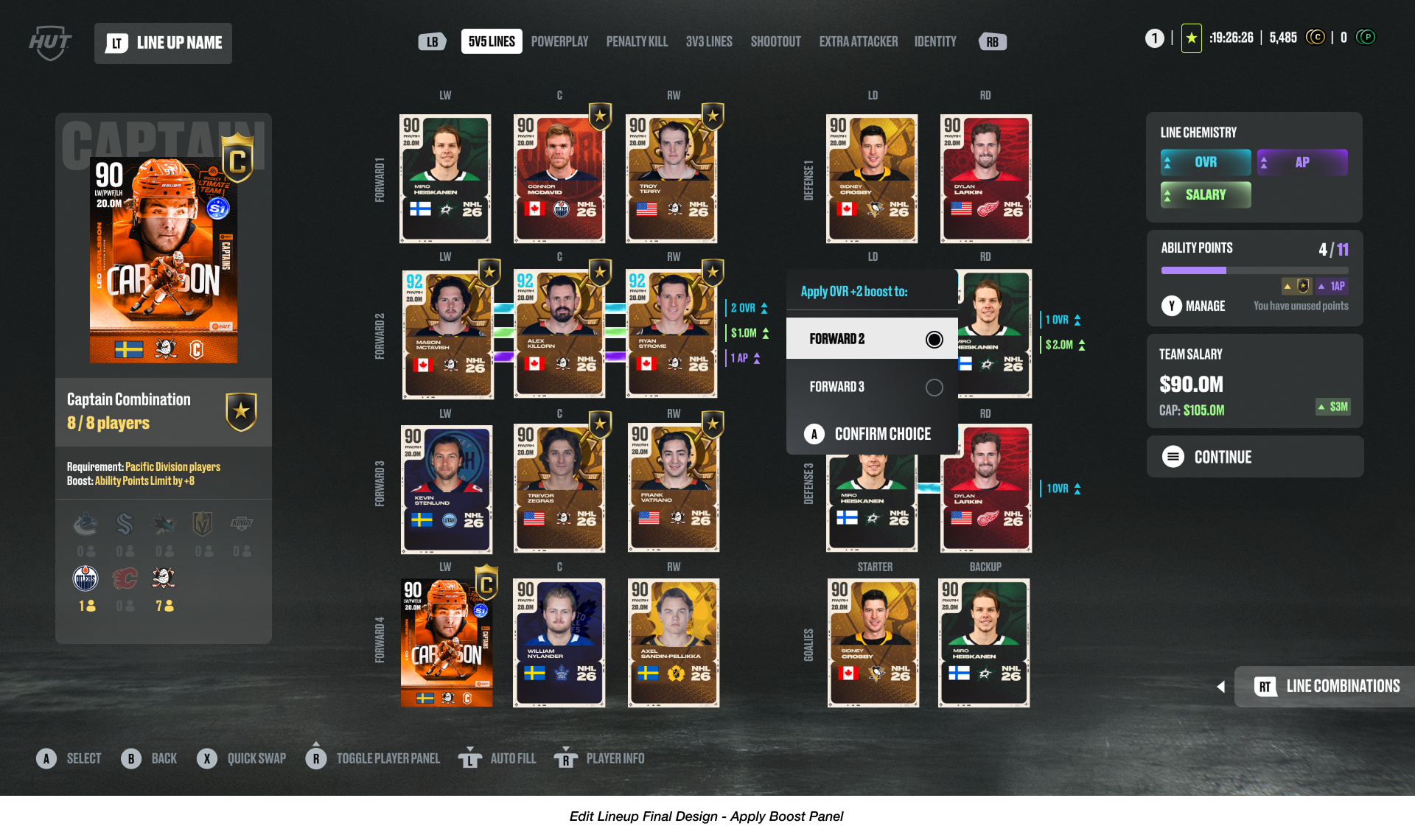
The final iterations were driven by the need to maximize the space of the main lineup screen while delivering each new component of the feature effectively. Some key changes we landed on included: A dedicated Captain Chemistry panel to house and visually communicate all the affiliate team and player requirement data needed to initiate the Captain Chemistry. Additionally on the lineup layout, a clear boost indicator UI on each line that has an active boost, which correlates to a persistent boost widget on the right side of the screen, ensuring users are always aware of active boosts. And in the Line Combination glossary, an intuitive categorization system by boost type while explicitly communicating which line a boost is applied to, turning a complex glossary into an accessible strategic tool for users.
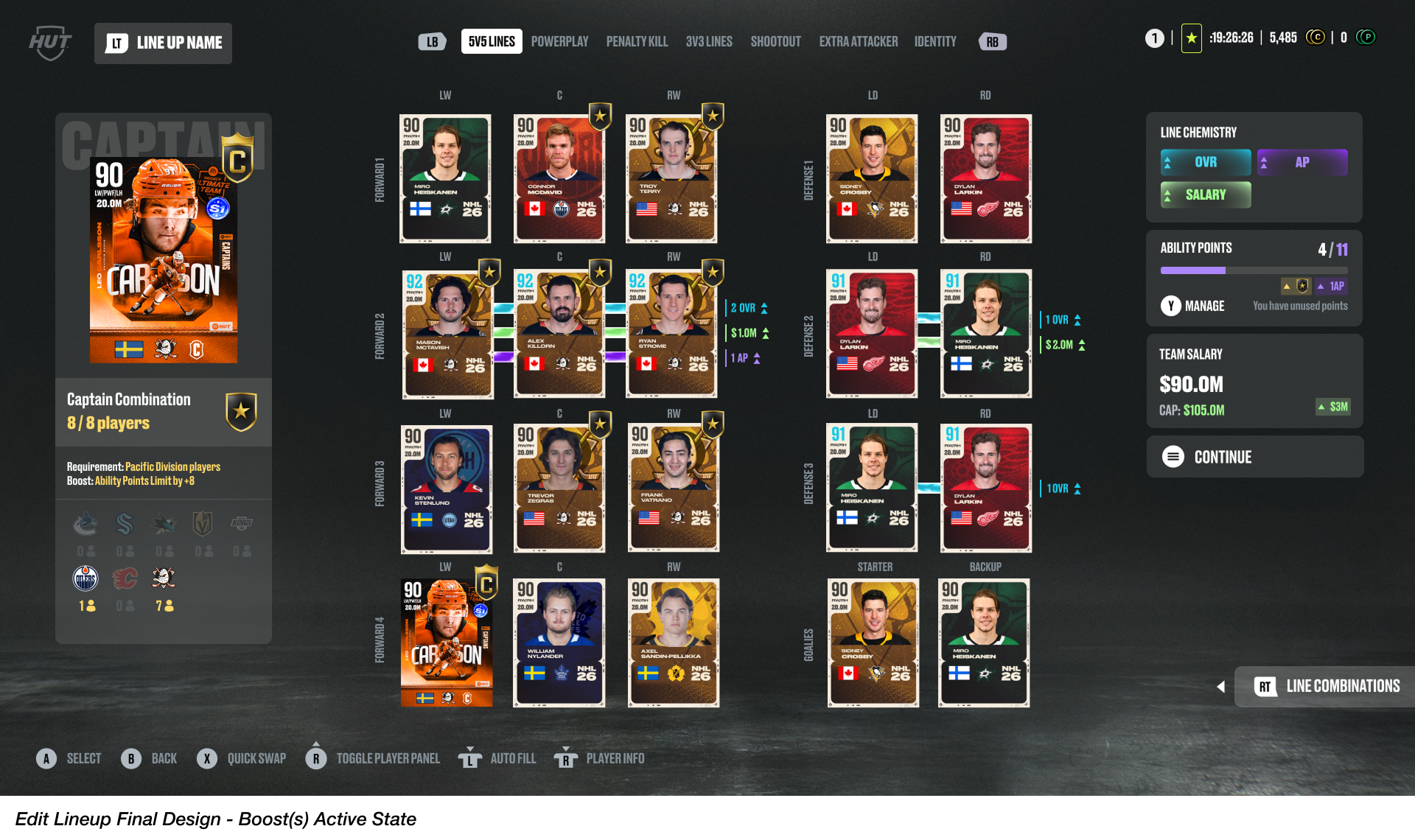
HUT Seasons Walkthrough Begins at 3:27
Post-Launch Iterations.
Following the successful launch of HUT Seasons, we closely monitored product performance and user feedback, identifying several key areas for immediate Quality of Life (QoL) improvements via patch updates to further establish a frictionless and engaging team-building experience.
We simplified the player substitution flow by consolidating a previously intrusive pop-up screen into a newly designed, integrated list-option component on the main Edit Lines UI.
We also added functionality that allows users to quick-swap players in their lineup while having the Line Combination Glossary panel open. Although this capability was deemed too expensive to implement during the production cycle, revisiting the conversation to add this mechanism in a patch update demonstrated the team’s commitment to solving known friction points.
Finally, to directly address user concerns regarding accessibility to the Line Combination Glossary panel, we expanded the glossary panel functionality into the user's Collection screen and added a new dedicated tab to view Captain Chemistry data - ensuring critical team-building information was easily accessible outside of the primary Edit Lines screen.
These post-launch refinements were essential for building user trust and continually optimizing the core usability of the HUT Seasons feature.
Player Substitution Flow (Pre-Iteration)
Post Launch Iteration Updates
Update 1.2.0 is here in #NHL26 and we have you covered with everything you need to know!
— EA SPORTS NHL (@EASPORTSNHL) October 21, 2025
Full Details ➡️ https://t.co/fIy0ygi8EG pic.twitter.com/y5J4yhZLfo
In-Game Showcase
Below are some in-game captures of new team-building dynamics and visual feedback in the Edit Lines experience for HUT Seasons in NHL26 - taken on Xbox.
Line Combination Glossary UI Panel
Line Combination UI Panel Functionality
Line Combination UI Panel in Collections Flow
Captain Chemistry and Line Combination Player Visual Feedback
Activating Captain Player Visual Feedback
Captain Chemistry Data in Collections Flow